The Importance of a Shared Vocabulary
Jesse Reitz, Founder of DocuCodes |
Join the Mission to Fix Documentation
We are building DocuCodes to eliminate the knowledge tax for engineering teams everywhere. Sign up now to be among the first to help us shape the future of software documentation.
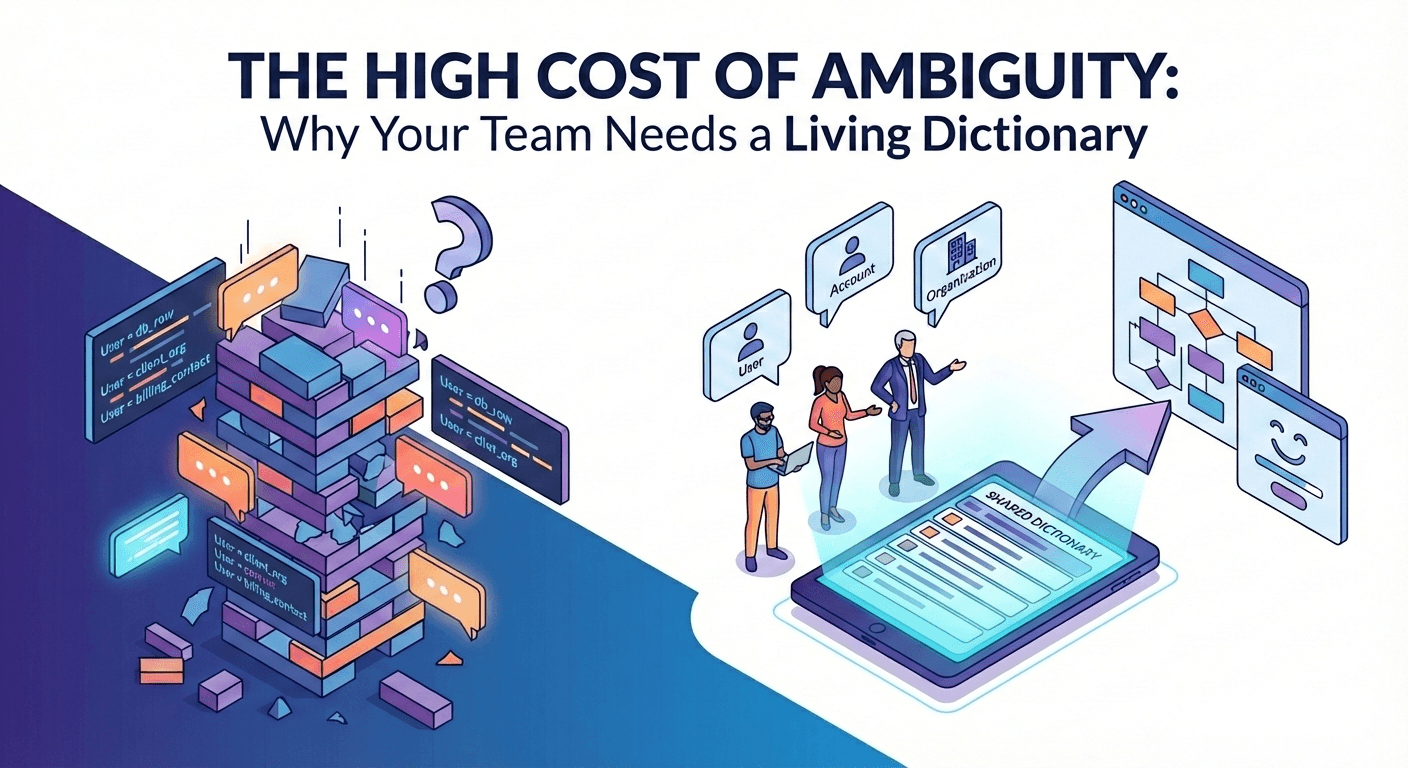
TL;DR: Naming things is hard, and "implied" definitions lead to expensive bugs and meeting fatigue. By maintaining a Shared Dictionary, teams reduce cognitive load, speed up design, and ensure that "Account" means the same thing to the VP as it does to the DB Admin.
Why Your Team Needs a Living Dictionary
One of the core tenets of software development is that "naming things is hard." It is incredibly hard to find a name that is: a) not already being used for something else; and b) clear, concise, and immediately understandable. Mix this difficulty with the high-velocity development environment and you have a recipe for:
- duplicate names or terms referring to the same concept, object, or resource
- unclear or nonsense names
- confusion between team members or across teams and stakeholders
- unclear requirements and acceptance criteria
- general slowdown due to repeat definitions and explanations
The best way to account for this is a shared dictionary. Dictionaries can exist within teams or, better yet, across an organization in order to keep everyone on the same page during conversations, software design, and testing.
The "Tower of Babel"
Imagine this: two engineers, a project manager, and a VP walk into a meeting to plan out a new initiative to overhaul the sign-up process of their product. They all use the word "account" but each have a different idea of what an "account" actually is.
- The engineers think of an "account" as the row representing the user in the "accounts" table
- The PM thinks the "account" is the organization-level container to which individual users have access
- The VP thinks "account" refers to the overall billing account for their business customers, each of which can have multiple organizations and individual users
It only becomes clear they are talking about different things 15 minutes into the meeting. They then must spend 10 minutes discussing a shared nomenclature for the project:
- "Account" becomes the billing account
- "Organization" becomes the org-level container within the product
- "User" becomes the individual user
So now they're 25 minutes into the meeting and are just now getting to the actual planning. That said, they're able to continue the meeting and come up with a suitable plan for the sign-up project. Simple, right?
Only, they never wrote or disseminated these decisions out to the rest of the team or the company. The "accounts" table still exists in the database but, at least for this project, it refers to "users", resulting in multiple bugs as the confusion sets in. There's already an "organization" object elsewhere in the code causing a naming conflict in the code or other problems when another team tries to work on it. They might be able to make it through this project okay but the next project will require the same exact conversation, result in the same kinds of bugs, and will cause endless frustrations on the for everybody involved.
As a company and its codebase grow ever larger, the greater the opportunity for naming conflicts to arise, leading to a Tower of Babel situation. No one can definitively describe what they're building because the words they use mean something else to other members of the organization.
The Solution is a Shared Dictionary
So the question becomes: how do we ensure we all use the same words to talk about the same concepts, objects, and resources? We don't have to look too far or hard to find the answer: define your shared terms and definitions.
So... a dictionary. It's a conceptually simple solution but it requires some discipline and cultural buy-in to implement well. There are also multiple ways you can implement a dictionary. For example, some techniques I like to use include:
- Maintain a shared "main" dictionary of cross-company terms and definitions
- Define relevant terms at the outset of documents requiring collaboration (eg. design docs, RFCs, pull requests)
- Take a step back during meetings and conversations to make sure you're using a common language
The most important aspect of this is a shared dictionary. By incorporating a shared dictionary into your company-wide processes, the need for the second and third techniques above is lessened.
By maintaining a shared dictionary, you're aligning with well-established patterns such as Domain-Driven Design (Eric Evans calls this concept "ubiquitous language", see this post by Martin Fowler for more insight) and DRYness (don't repeat yourself isn't just for functions, it's for explanations too). You're decreasing cognitive load for engineers, product managers, and stakeholders since they can just go look up a term.
The benefits of maintaining a shared dictionary are immense:
- Faster, more efficient design processes and discussions
- Less frustration and disagreement caused by simple misunderstandings
- Self-service discovery for people looking to understand a specific product, feature, or piece of code
The Anatomy of a Useful Dictionary
At its core, a dictionary can just be a list of words and definitions:
- Term to define: definition of the term
- Another term to define: another definition
This is a great starting point. If you're spinning up a new team or project this is where I would start.
As your team or project starts to grow, though, you'll eventually run into conflicts with existing code or concepts, organizational or architectural decisions which change the definition of a term, and new terms replacing old ones as part of a refactor or pivot. In these cases, it's important to keep track of synonyms, legacy terms, and the status of any given term.
This is the format we use here at DocuCodes.
| Field | Description | Example |
|---|---|---|
| Term | The primary, agreed-upon name. | EntitySubscriber |
| Definition | A concise, one-sentence technical/business meaning. | An authenticated user with an active billing tier. |
| Synonyms | Other words people might use (to help with search). | Member, Paid User, Customer. |
| Historical Term | What we used to call it (to avoid confusion in legacy code). | Legacy_Client |
| Context/Scope | Where this term applies (e.g., Billing Service vs. Auth Service). | Billing Domain |
| Status | Active, Proposed, or Deprecated. | Active |
A Simple Example
This example follows the hypothetical User/Account confusion from above.
| Term | Definition | Synonyms | Historical Term | Context/Scope | Status |
|---|---|---|---|---|---|
User | An individual user who can log in to the application | Account, Member, End-User | Client | Identity Domain (provide links if applicable) | Active |
Organization | An organization-level container within the application. Most resources belong to an Organization to which a User has access. | Company | N/A | Identity Domain | Active |
Account | A billing account which is responsible for all costs incurred by Organizations and Users | N/A | BillingAccount | Billing Domain | Active |
Where to Put Your Dictionary
Where to put your dictionary is an important decision. The location in which your dictionary lives must be:
- Easily maintainable
- Highly visible
- Accessible by all who may need to consume it
The implications of each of these tenets will be different for every team. For a team with a single repository keeping the dictionary right next to code in a text doc may make the most sense. For an organization with 10,000 employees and hundreds of repos, it almost certainly doesn't. Here's a breakdown of some common locations and their pros and cons.
With the Code
This is probably the easiest place for technical teams to get started. You can create a /docs directory in your repository and throw a dictionary.txt or dictionary.md file in it to keep track of your shared terms and definitions.
Pros
- Easy to get started for technical team members
- Cheap: included in your software repository hosting already
- Team alignment through pull requests: you can make your dictionary subject to the same review process as your code, which can be a great benefit in some circumstances
- Easy to maintain: if you're already working on the code, adding or updating a definition in another file is more fluid than switching to another tool to do so
Cons
- Highly technical: non-software engineers may not want to learn the version control process just to write a simple definition
- Poor accessibility: non-technical team members often don't have access to your repository hosting (eg. GitHub). Even if they do, they'll need to understand how to navigate it to look up a definition
- Poor discoverability: searching the contents of code is notoriously tricky and, again, technical. Non-technical team members will find it hard to find definitions, especially when the word "account" or "user" shows up hundreds of times in a GitHub code search.
- Low-velocity: pull requests can slow down day-to-day productivity tasks like writing a definition
- Poor UI/UX: raw text files are harder to read than richly-formatted documents
Shared Drive (Google Drive, Microsoft OneDrive, etc)
You can keep your dictionary in a text document on a shared drive. This is often a simple starting point for smaller teams. Just be aware that maintaining a document in a shared drive can become more difficult as your team grows.
Pros
- Easy to get started
- Cheap: drive access is likely included in your workspace subscription from Google or Microsoft
- Highly Accessible: with the right permissions and location structure, anyone in your organization or with a link to the doc can access your dictionary
Cons
- Poor discoverability: finding where in the drive the doc lives is difficult, searching for content is close to impossible
- Can't link directly to a definition: you can share a link to a doc but it's difficult to link to a specific term or definition
- Permissions Management: ensuring a doc has the correct viewing and editing permission can be somewhat of a pain, as can restricting access to certain teams or members to viewing-only
- Hard to maintain: your dictionary lives in its own world. Team members have to expend the effort to update it on a regular basis.
Wiki (Confluence, Notion, etc)
Maintaining a wiki is incredibly good practice in general. Wikis are usually much easier to maintain and search than the other methods described above. They can also scale nicely because of their access controls and sharing features.
Pros
- Easy discoverability: colocating all your documentation makes it easy to link and navigate through. Searching can be hit-or-miss, depending on which tool you use, though
- Dedicated tooling: writing documentation is the main purpose of wiki software. This means it's much easier to a create good-looking, easy-to-read dictionary
Cons
- Additional cost: adding an additional tool to maintain an internal wiki means adding another cost to your budget
- Hard to maintain: similar to keeping your dictionary on a shared drive, keeping it in a wiki means specifically going to another tool to update the definition
DocuCodes
We’re building DocuCodes to solve the "Where does this live?" problem. We believe documentation shouldn't be a destination you have to "visit," but a layer that lives alongside your workflow. We believe that terms and definitions are best defined and refined as they're used to design and build great software. We’re currently refining our dictionary features. Subscribe for updates to follow along and to get early access when we go live.
The Bottom Line
By making sure your team is on the same page when it comes to shared terms and definitions, you create what Eric Evans calls "ubiquitous language." By agreeing on and writing down the terminology you use you create less confusion and dissonance among your team. Even in cases where confusion still arises, you have a single source of truth to point to in order to smooth the conversation, diffuse tense situations, and get back to what matters most: building great software.
At DocuCodes, we're dedicated to making the process of documenting the software you're building easier. Follow along to see how we will make your life easier.
Join the Mission to Fix Documentation
We are building DocuCodes to eliminate the knowledge tax for engineering teams everywhere. Sign up now to be among the first to help us shape the future of software documentation.